

System Settings Hub
Introduction
The System Settings hub, found at Configuration → System Settings (admin/configuration/system-settings), is a config-driven home for every settings screen in the admin. Sections and rows come from the system_settings config namespace, so any package can register its own settings screen without touching core.
This is the same mechanism the platform itself uses — Appearance, Email, Debug, Microsoft SSO, Measurement, and Digital Product Passport all register through it. If you are building a connector and need a place for its options, you simply merge a small config file and the hub renders the section, filters it by the admin's permissions, and persists the values for you.
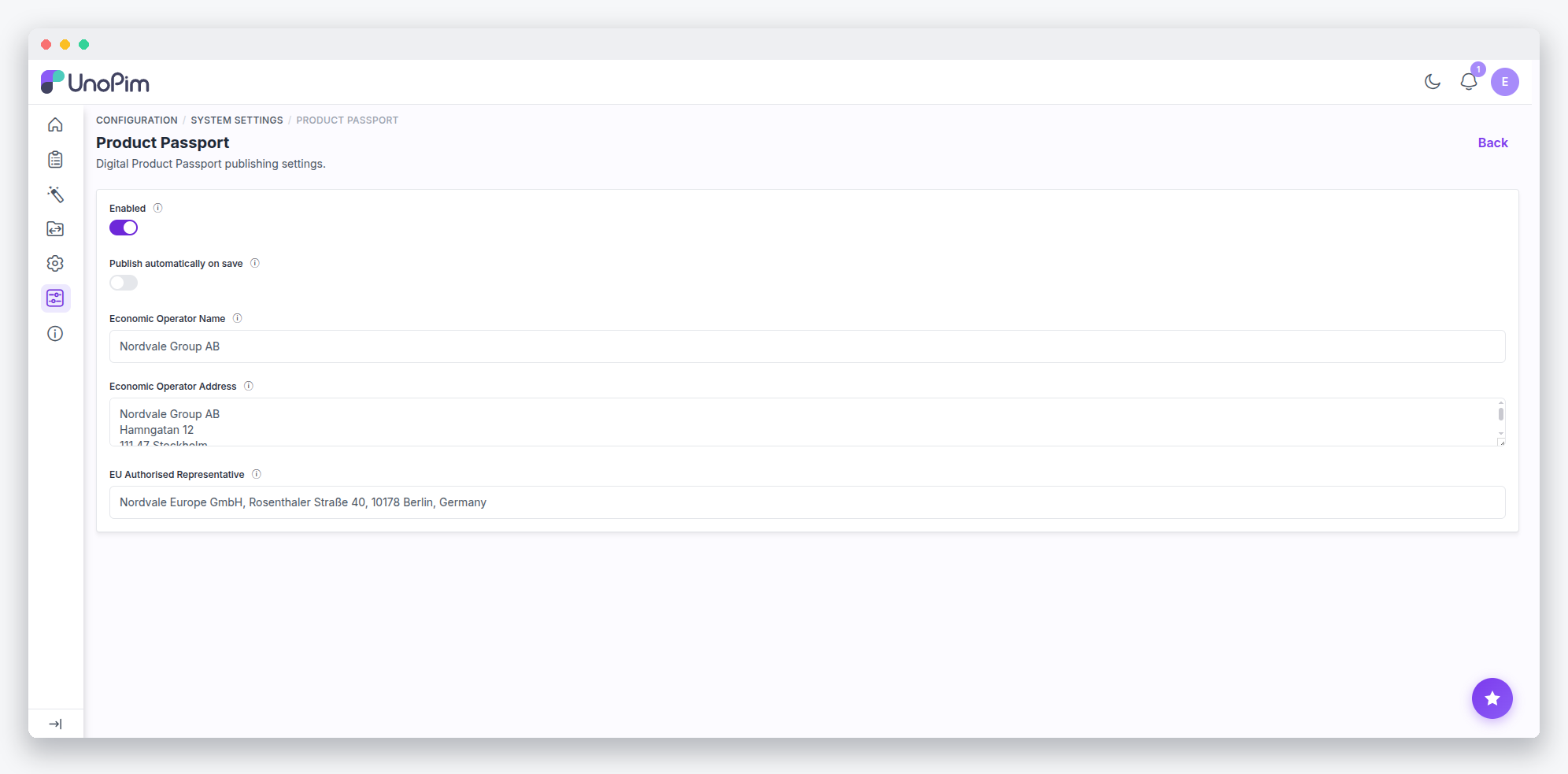
For example, the Digital Product Passport package contributes a "Digital Product Passport" section with a settings editor beneath it — entirely from config, with no custom controller.
Registering a Package Section
To add your own section, create a system_settings.php config file in your package. Entries are a flat, dot-keyed list — the same convention as menu.admin. The Digital Product Passport package is the reference example:
// packages/YourVendor/YourPackage/src/Config/system_settings.php
return [
    [
        'key'  => 'digital_product_passport',
        'name' => 'passport::app.configuration.dpp-section.title',
        'info' => 'passport::app.configuration.dpp-section.info',
        'icon' => 'icon-product',
        'sort' => 2,
    ],
    [
        'key'          => 'digital_product_passport.product_passport',
        'name'         => 'passport::app.configuration.product_passport.title',
        'config_group' => 'catalog.product_passport.settings',
        'acl'          => 'configuration.system_settings.product_passport',
        'icon'         => 'icon-setting',
        'sort'         => 1,
    ],
];
Then merge the file in your service provider's register() method:
$this->mergeConfigFrom(__DIR__.'/../Config/system_settings.php', 'system_settings');Finally, add the matching ACL key in your package's acl.php (configuration.system_settings.<your_key>).
A bare key with no route, fields, or config_group is a section node that groups the rows beneath it. Section nodes deep-merge with child rows regardless of merge order, so your package may safely contribute rows to sections it did not create.
Choosing Between config_group and Inline Fields
You may define the form your row edits in one of two ways. Using config_group points the row at an existing config('core') group — saved values keep their existing config codes, so migrating a legacy configuration screen into the hub never relocates data.
Alternatively, inline fields define the form directly in the registry entry. Measurement's system.measurement entry is the reference here: it declares strategy, amount, and base fields with types, defaults, and validation inline. A field of type: blade renders a custom view when the built-in field types are not enough.
Searching Settings
The hub includes a client-side filter — rows carry data-search attributes — so admins can narrow the list as they type. Beyond that, the global config search (admin.configuration.search) walks config('core') groups server-side and returns deep links straight into the editors.
How the Hub Renders
Under the hood, Webkul\Admin\SystemSettings builds the tree per request. It is deliberately never a singleton — the per-admin ACL filtering must not leak across Octane requests. It exposes three entry points:
tree()— accessible entries, sortedfind($key)/formGroup($entry)— resolve an entry and its field groupaclKeysForConfigGroup($groupKey)— maps config groups back to hub ACL keys, which also gates the legacy configuration editor
SystemSettingsController serves the hub (admin.settings.system.index), the generic editor (admin.settings.system.edit at configuration/system/{key}), and the save (admin.settings.system.update). Two protections matter to you as an extension author:
enforceSectionAccess()re-checks the entry's own ACL inside the controller — the shared wildcard route cannot be gated per-row by middleware alone.allowedConfig()whitelists posted codes to the entry's own group, so a crafted request cannot write arbitrary core-config (SMTP credentials, API keys) through your settings screen.
Render events fire around every screen: unopim.admin.system_settings.index.before/after on the hub and unopim.admin.system_settings.edit.<key>.before/after on each editor. You may listen to these to inject extra markup without overriding views.
Registry Key Reference
Each registry entry supports the following keys:
| Key | Meaning |
|---|---|
key | Dot path; the first segment is the section (system.email) |
name / info | Translation keys for label and description |
icon | Icon class (optional) |
sort | Ordering within its level |
acl | Permission key — the row is hidden when the admin lacks it |
route | Named route the row links to (for screens with their own controller) |
fields | Inline field definitions persisted to DB core-config |
config_group | Reference an existing config('core') group key instead of inline fields |