

Advanced Variants
Introduction
UnoPim 3.0 introduces variant structures: attribute families may define exactly how their configurable products vary — on one or two levels — and child products inherit parent values at read time instead of copying them. This keeps shared data in one place, so a change to the parent is immediately visible on every child.
Sometimes a single axis is not enough. A fashion catalog, for example, models style → colour → size: the style-level data lives once on the parent, colour-level data on an intermediate node, and only the size axis differs between leaf variants.
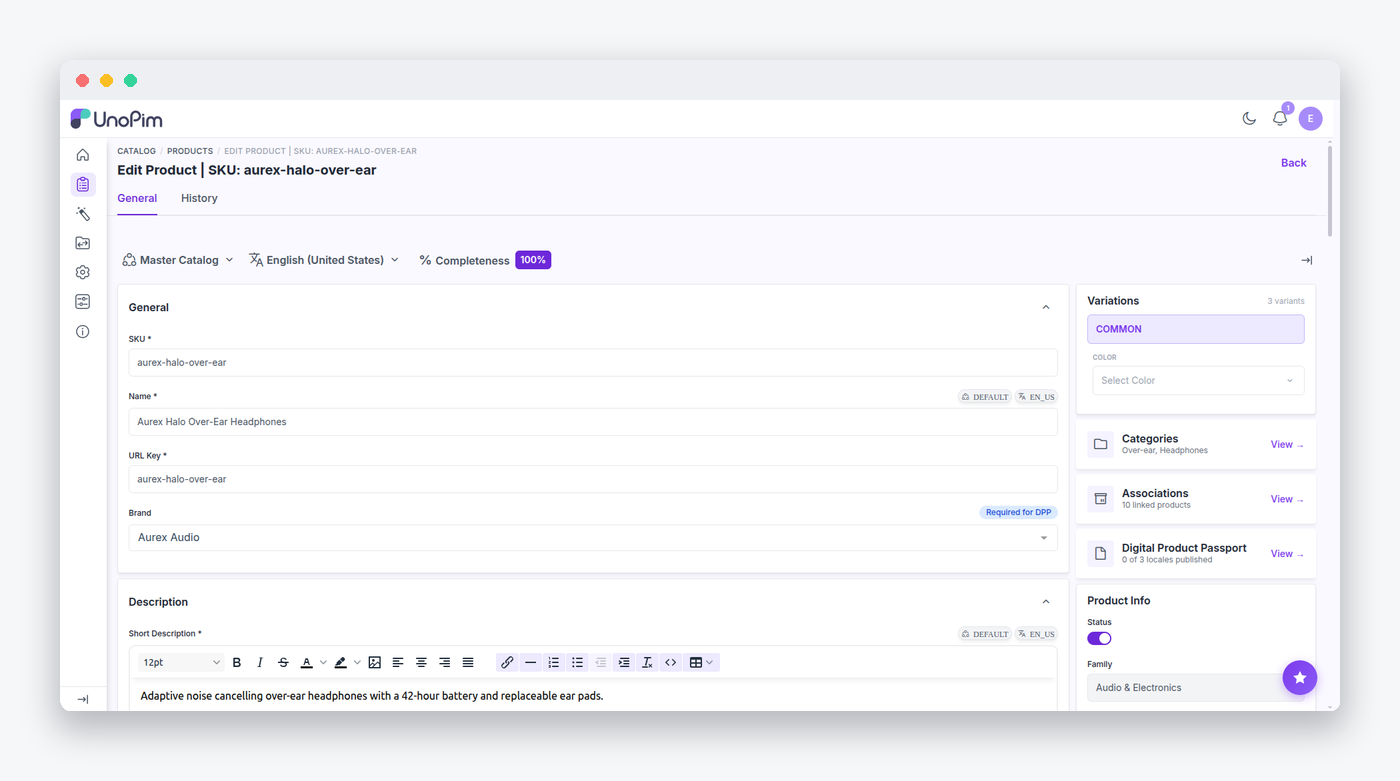
Product Types
Three product types cooperate to form a variant tree. The configurable type (Webkul\Product\Type\Configurable) is the root. In two-level structures, the variant_group type (Webkul\Product\Type\VariantGroup) acts as the intermediate node — it is marked internal in the product_types config, so it never appears in the create-product type picker. Finally, the simple type (Webkul\Product\Type\Simple) is the leaf variant, or a standalone product outside any tree.
Each type maps to a structure level: configurable → common, variant_group → sub_parent, and simple → variant.
Defining Variant Structures
You may edit variant structures inside the attribute family, under admin/catalog/attribute-families/edit/{id}/variant-structures (routes admin.catalog.families.variant-structures.* — index, edit, save, delete). A structure declares two things:
- Axes define what varies at each level. For one-level structures, every axis is a
variantaxis. - Placements declare at which level each non-axis attribute is authored —
common,sub_parent, orvariant. Placements drive completeness, the product form, and inheritance.
Saves are snapshot-diffed for history (the core.model.proxy.sync.variantStructure event carries previous and current snapshots), and the family controller guards against removing an attribute that is still used as a variant axis.
Retrieving Inherited Values
Variant children no longer copy inherited values into their raw products.values JSON. Instead, effective values are resolved when you read them:
$values = $product->resolvedValues();resolvedValues() delegates to the bound Webkul\Product\Contracts\VariantValueResolver:
interface VariantValueResolver
{
    public function mergeChain(array $chainRootToLeaf): array; // ordered root → leaf
    public function resolve(Product $product): array;
}
The default implementation walks $product->parent up to the root (with a 10-level guard), merges common values by key presence so the descendant wins, overlays the scoped buckets (locale_specific, channel_specific, channel_locale_specific) at the right depth, and takes categories from the deepest node that defines them. Results are memoized per product for the duration of the request.
BC note
Extensions that read products.values directly will miss inherited data on children created in 3.0. Always go through Product::resolvedValues() or the resolver contract.
Structure Planning
When you need to know "who owns which attribute", reach for Webkul\Product\Contracts\VariantStructurePlanner:
interface VariantStructurePlanner
{
    public function levelOf(Product $product): ?string;
    public function structureFor(Product $product): ?VariantStructure;
    public function ownsAttribute(Product $product, string $attributeCode): bool;
    public function ownsAtOwnLevel(Product $product, string $attributeCode): bool;
    public function axisCodesByLevel(VariantStructure $structure): array;
    public function allAxisCodes(VariantStructure $structure): array;
    public function placementOf(VariantStructure $structure, string $attributeCode): string;
    public function attributeCodesAtLevel(VariantStructure $structure, string $level): array;
}
ownsAttribute() is level-ordered (common < sub_parent < variant): a product owns an attribute when its placement level is at or above the product's own level. Completeness uses this to score each node only on the attributes it authors.
Customizing the Resolver and Planner
Both contracts are container-bound in ProductServiceProvider:
$this->app->bind(VariantValueResolverContract::class, VariantValueResolver::class);
$this->app->bind(VariantStructurePlannerContract::class, VariantStructurePlanner::class);
You may rebind either contract in a package service provider registered after ProductServiceProvider to customize the inheritance or placement logic.
Creating Two-Level Trees
When a family's structure has levels = 2, the configurable product payload accepts a variant_groups array. Webkul\Product\Type\Configurable will automatically create the variant_group nodes holding the level-1 axis values, then the nested simple variants beneath them. Each created variant fires catalog.product.create.after.
Artisan Commands
Two commands help you maintain variant trees over time:
# Remove child values that merely duplicate an inherited ancestor value.
# Dry-run by default; genuine overrides are kept.
php artisan unopim:variants:strip-redundant [--apply] [--product=]

# Rebuild derived data (completeness, search index) for variant subtrees —
# a safety net when a queued propagation job was dropped.
php artisan unopim:variants:resync {--product=|--all}
strip-redundant compares each variant's common values against the resolved ancestor chain and removes exact duplicates, always keeping axis codes and sku. resync collects root, child, and grandchild ids and dispatches ProductCompletenessJob without re-saving products, so the Elasticsearch observer is not double-triggered.
Data Model
For reference, the underlying tables are:
variant_structures            attribute_family_id, code, name, levels (1|2)
variant_structure_axes        attribute_id, level (level_1|level_2), position
variant_structure_attributes  attribute_id, level (common|sub_parent|variant)
products.variant_structure_id nullable FK (nullOnDelete)
A structure is unique per (attribute_family_id, code).